
Time Log
- Christopher Yang (2026-02-23, 22:15-22:37)
- Sunghyun Ahn (2026-02-26, 21:46-22:05)
- Fariha Shah (2026-02-28, 21:03-21:30)
- Doga Karabey (2026-03-01, 20:54-21:17)
1. Summarize your activities, including new content created. Provide all the hyperlinks of new content.
In this assignment, I created two new posts. The first post discusses a Leetcode problem and an interesting property of finite sequences that can be used to solve the problem. The second post shares 5 fun facts about watermelon. I also created the thank you page. In addition to the new posts/pages, I also updated the homework directory page and website directory to include links to the new content.
2. Summarize your “Thank you” event conversion. Include a screenshot.
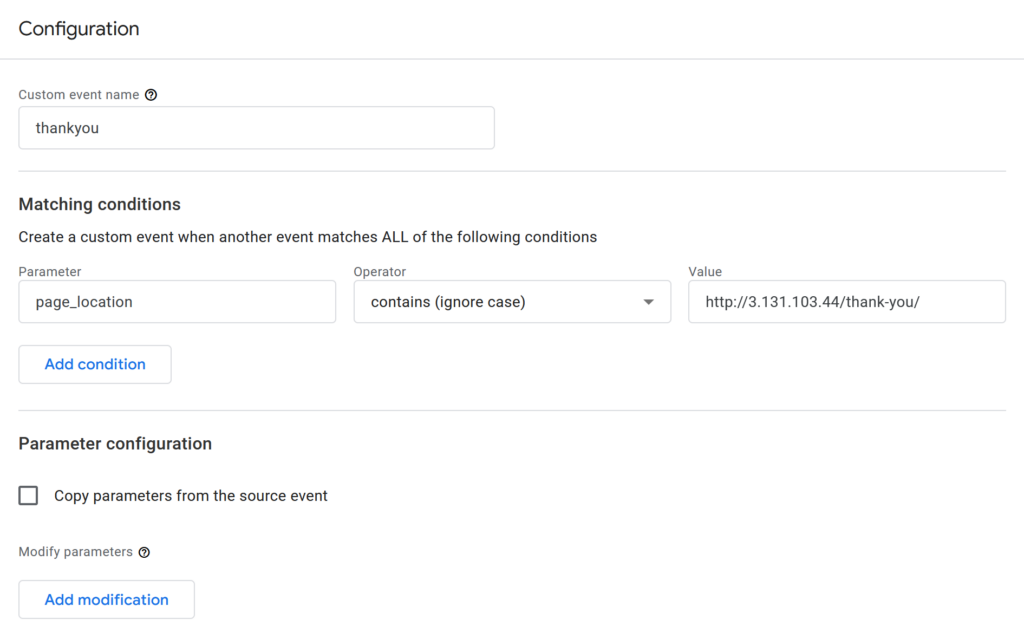
I created an event called “thankyou” that triggers when someone views the “Thank You” page. The trigger essentially checks if the page_location parameter is equal to the URL of the “Thank You” page. This means that it only triggers when users actually arrive at the page, not when they click a link to go to the page. The difference is that a user could click a link to go to the page but never actually get there (e.g., internet issues). Only triggering when a user actually lands on the page is better aligned with the goal of measuring how many people view the page.
3. Summarize your “menu click” event conversion. Include a screenshot.
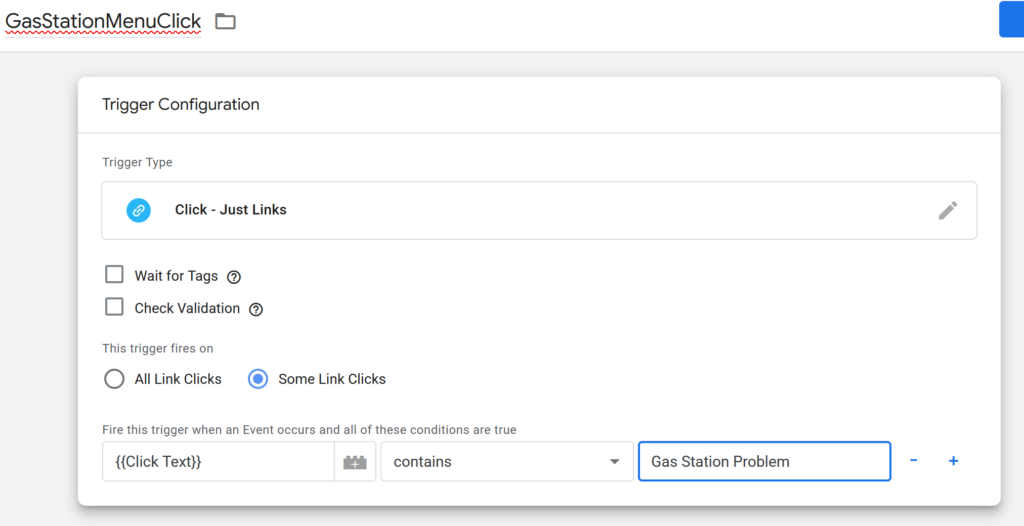
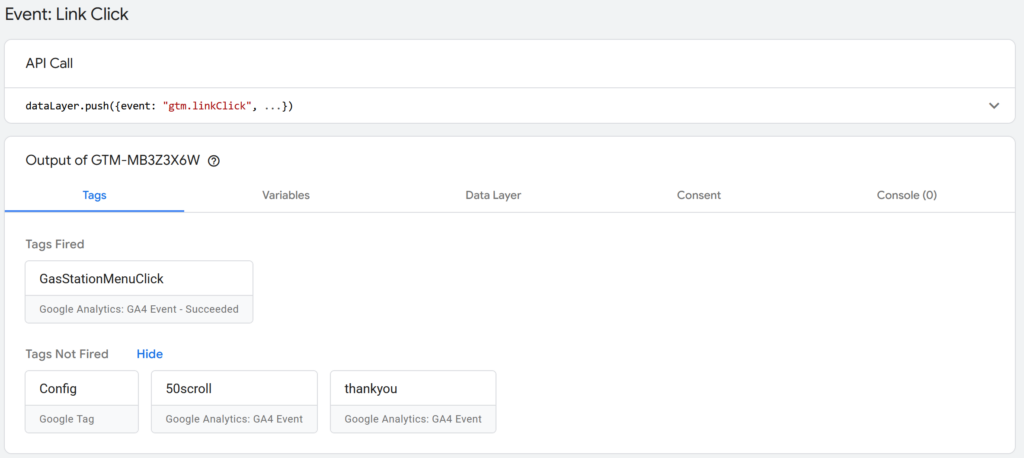
The “GasStationMenuClick” event triggers whenever someone clicks the “Gas Station Problem” link in the header menu. The trigger works by checking whether a clicked link has text that matches “Gas Station Problem.” I tested the set up by going into Preview mode in Google Tag Manager and navigating to the post through the header menu. After doing so, I saw a click event on the Home page that correctly fired the “GasStationMenuClick” event, confirming that everything is working as it should be.
Leave a Reply